 Teum
TeumFind a free practice room and book it right now
Teum is a booking app for piano academies, practice rooms and small studios. Members see which rooms are free now and book them within the rules the owner sets; classes keep track of seats and the waitlist on their own.


Free on the App Store and Google Play. Use it at a studio that invites you. The app is in Korean.

A look inside
The app is in Korean and follows your device’s light or dark mode.
For members
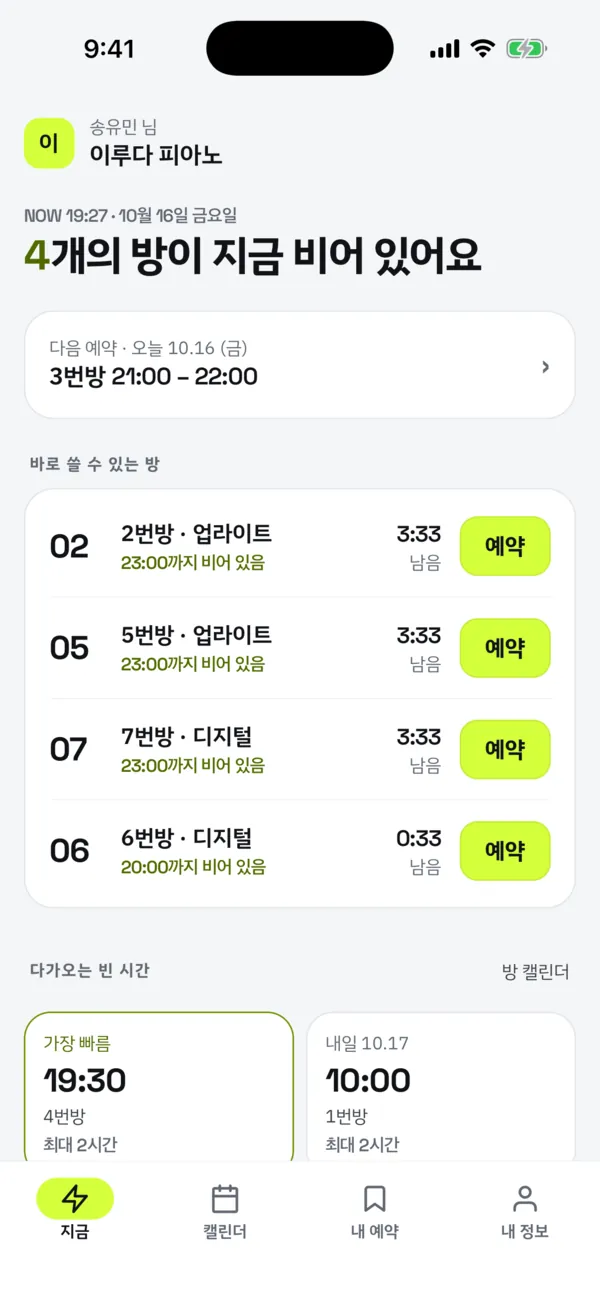
Book a free room now
See which rooms are free and for how long, and book one with a single tap.
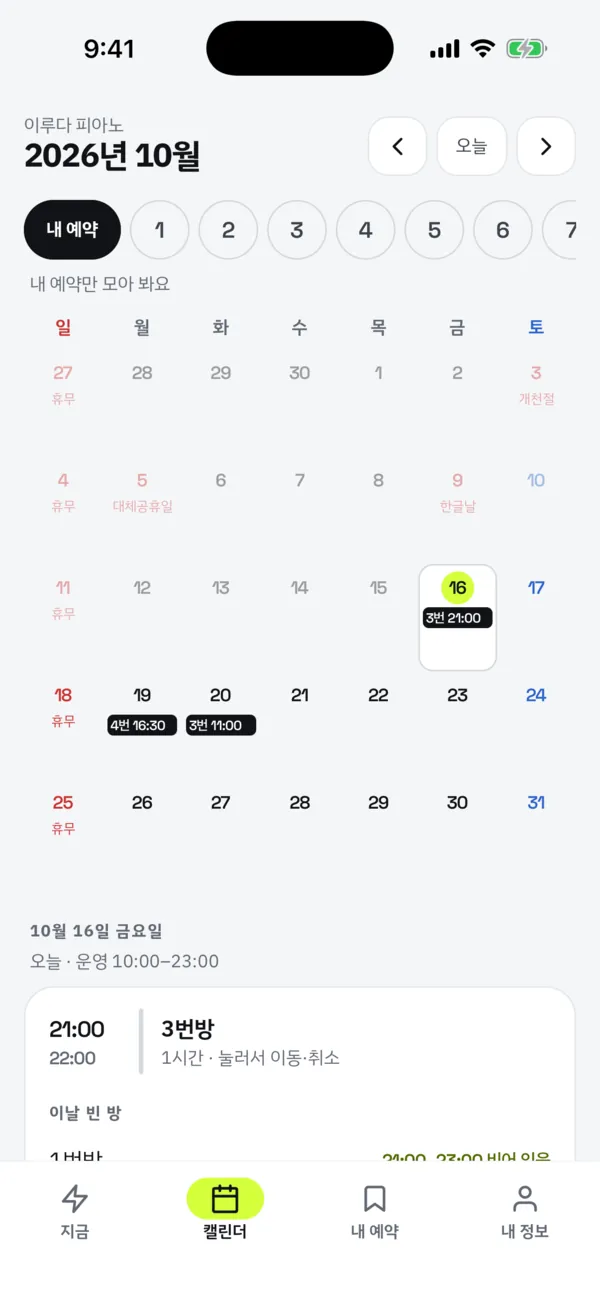
A calendar per room
Room calendars and your own calendar show free time, closed days and public holidays.
Move or extend
Move a booking to another time or room, or extend it while you are in the room.
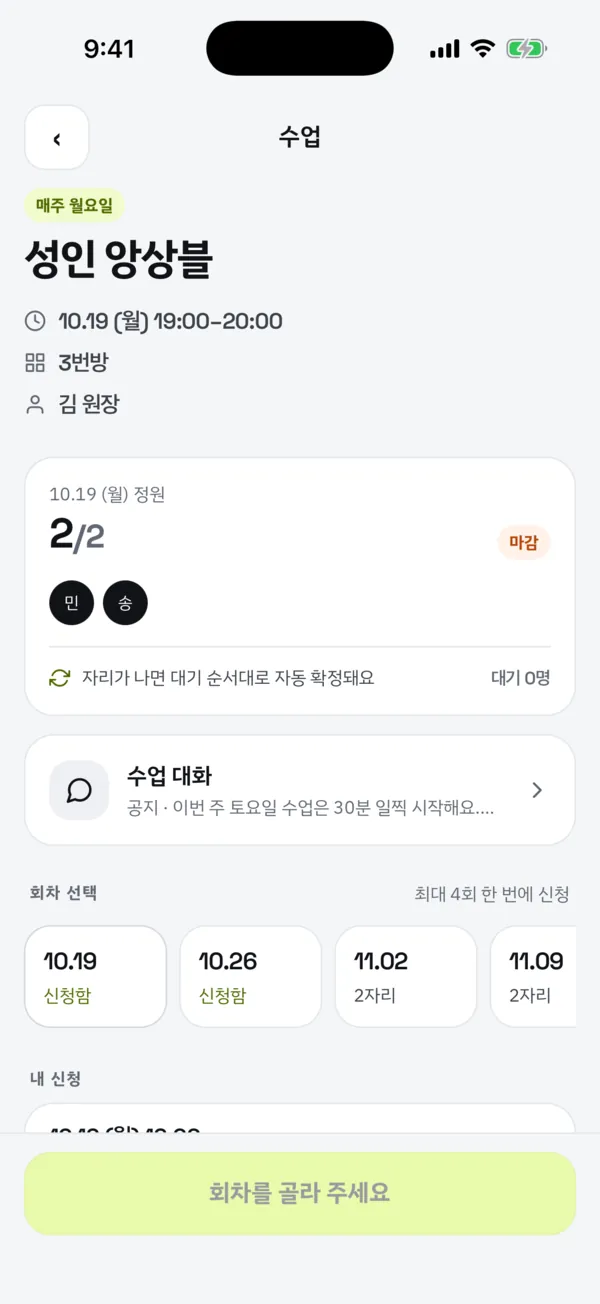
Classes with a waitlist
Sign up for sessions or join the waitlist; when a seat opens you are confirmed in order.
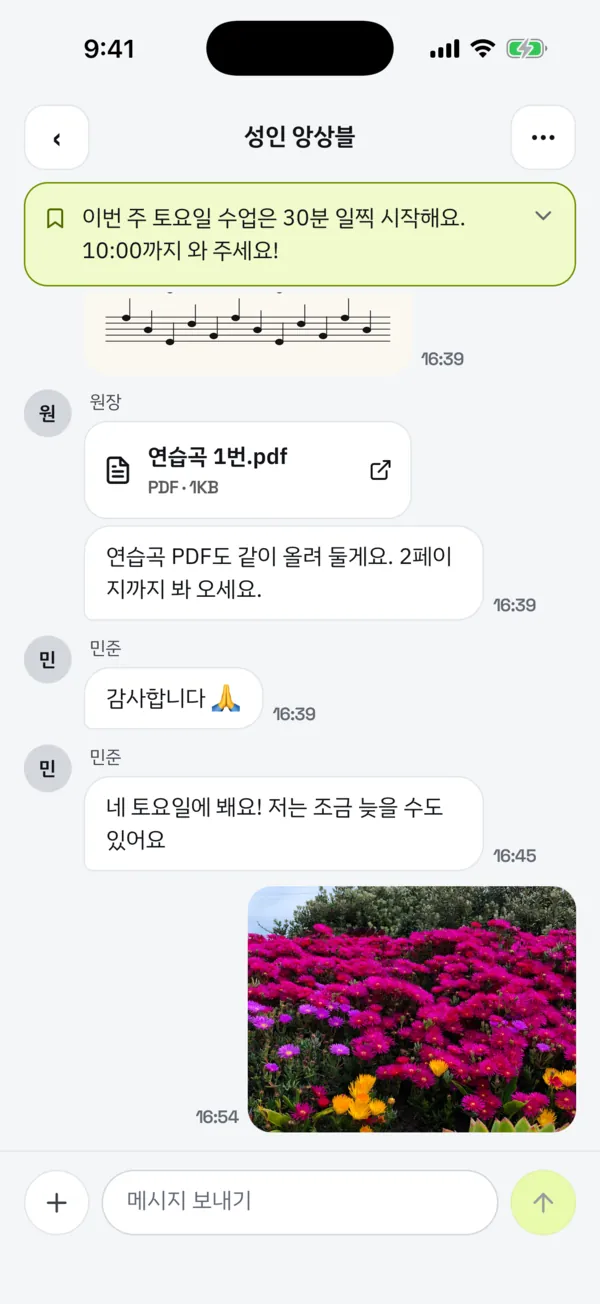
Class chat and notices
Each class has a chat for photos and PDFs, with the owner’s latest notice pinned on top.
Push notifications
Reminders 10 minutes before, changes and cancellations, waitlist confirmations and notices.
For studio owners
You set the rules; the app keeps them.
Rooms and hours
Opening hours per weekday, public holidays, temporary closures and shorter days.
Booking rules
Longest booking, bookings per day, bookings at once, and deadlines to move or cancel.
Members and passes
Invite members by user name or email and manage how long their pass runs.
Room closures
Close a room for repairs or tuning; affected bookings are shown first and moved to a free room.
Open classes
Weekly or one-off classes with seats; their room leaves practice booking for that time.
Class chat
Post notices, or make a room notice-only by turning off member posts.
Getting started
- The owner creates the studioRooms, opening hours and booking rules.
- Members are invitedFound by user name or sign-in email, with a pass end date.
- Members bookThey find a free room in the app and sign up for classes.
Details
- Devices
- iPhone and Android phones
- Price
- Free, with ads on some screens
- Premium
- Subscription that only removes ads (personal or studio)
- Version
- 1.2.0
- Language
- Korean
- Privacy
- No selling, no tracking
Your data
Teum handles only what the service needs: your account (email and name from social sign-in), nickname, bookings and classes, class chat messages and attachments (photos and PDFs are kept for 90 days), posts, direct messages and a profile you add in studios where the owner turns these on, a push token and the device advertising ID. It is not sold or used for personalized ads or tracking, and you can delete your account at any time in the app.
Questions
Do members pay?
No. Every feature is free; Premium only removes ads. When an owner subscribes to studio Premium, all members of that studio see no ads.
Can I book any practice room?
Only studios you belong to. An owner can invite you, or you can ask to join a public studio and the owner accepts. A studio’s bookings and posts are visible only to its people.
Can children under 14 use it?
Yes, after a parent or guardian agrees by email. Children never see personalized ads.
How do I delete my account?
In the app: My info (owners: Settings) → Delete account. If you cannot use the app, email us.
Where do I get it?
Search for “틈” on the App Store or Google Play, or tap a badge at the top of this page. You can book once an owner creates a studio or invites you.
Contact
Write to us to use Teum at your studio, ask a question or report a problem.